Pick a mode, write the brief, set a duration anywhere between two and fifteen seconds. Thinking Mode plans the scene before generating, and the credit cost appears before anything runs.
Frame control · Optional first frame · under 20 MB
Generation output
Current parameters
Wan 2.7 · Reference · 16:9 · 720P · 5s
Generator settings
Wan 2.7 Generator Settings and What to Pick
View guideClose guide
Every control is also a cost lever. These are the ones that change the result.
Thinking Mode: Plan the Brief Before Generating
Thinking Mode interprets and plans the prompt before generation, building a structural understanding of the scene first. Clear direction on subject, lighting, camera and mood gets rewarded with more intentional output.
Leave on for final renders and complex briefs
A vague prompt gains less from it — structure is what it acts on
Turn off only when you are burning through quick variations
Duration: 2–15 Seconds, and It Is Continuous
Unlike fixed-step models, Wan 2.7 lets you pick any duration in the range. Use that — a beat that needs seven seconds should not be stretched to ten.
2–5s — one action
6–10s — action with a setup or a resolution
11–15s — two beats; state the order in the prompt
Pick the length the action needs, not the maximum
Resolution: 720p While Iterating, 1080p to Ship
There is no 480p tier here, so 720p is the cheap pass. Resolution does not fix composition — if the framing is wrong at 720p it is wrong at 1080p.
720p — composition and motion tests
1080p — the version that ships
Note: Wan 2.7 also generates still images at up to 4K
Aspect Ratio: State the Subject's Position for 9:16 and 1:1
The model composes for the ratio you pick, but the prompt has to cooperate. In vertical and square, say where the subject sits or you get a 16:9 composition cropped.
16:9 — default, safest
9:16 — "subject centred, head in upper third"
1:1 — "subject centred, full body in frame"
4:3 / 3:4 — editorial work
Voice Reference: Supply One When the Voice Matters
Wan 2.7 clones a voice from a supplied audio reference and lip-syncs dialogue in the same pass as the picture. Without a reference, you get a generated voice that may not match the character.
Upload a clean sample, no background noise
Write the dialogue verbatim, with pauses marked
Lip sync is generated with the video, not added after
Text and image modes support 2–15s here; reference and editing modes support 2–10s. Thinking Mode has no separate switch in this workspace. Prompt Expansion in Advanced Settings is a different control.
Prompt planning
Wan 2.7 Thinking Mode and What It Changes
View guideClose guide
Because Thinking Mode organises the brief before generating, prompt structure matters more here, not less. A single run-on sentence gives the planning step very little to organise. Separate clauses give it a scene to build: who is in it, how it is lit, where the camera is, what the mood is meant to be.
Write in Clauses, Not Sentences
Instead of "a cinematic shot of a woman walking through a rainy street at night looking thoughtful", give it the parts separately:
Subject — a woman in a dark coat, mid-thirties
Action — walks left to right, steady pace, does not look at camera
Lighting — wet street, sodium streetlights, no fill
Camera — tracking from the right, waist height, constant distance
Mood — restrained, unhurried
What Thinking Mode Does Not Fix
It plans what you gave it. It does not invent the direction you left out, and it does not resolve contradictions — "handheld and perfectly stable" will produce one or the other, not a compromise.
Ambiguity is planned as ambiguity
Contradictory direction resolves unpredictably
It costs time, not accuracy, to leave it on
When to Turn It Off
Fast iteration. If you are generating six variations to pick a direction, the planning step is overhead you do not need yet — turn it on again for the render that matters.
Prompt recipes
Wan 2.7 Prompt Recipes by Input Mode
View guideClose guide
Wan 2.7 rewards observable direction and, with Thinking Mode on, rewards structure on top of it. Three recipes per mode, each with settings and the reason it works.
For image and frame recipes, add the required source images after applying the prompt. The 9-grid recipes require a compatible grid workflow; there is no dedicated grid mode in this workspace.
Clause-structured scene
T2V-1 · 8s · 1080p · 16:9
Subject: a woman in a dark coat, mid-thirties. Action: walks left to right at a steady pace, does not look at camera. Setting: wet city street at night. Lighting: sodium streetlights, no fill, reflections on the road. Camera: tracking from the right at waist height, constant distance. Audio: footsteps on wet stone, distant traffic, no music.
Why it works: written as labelled clauses, which is exactly what Thinking Mode organises against.
Two beats in 15 seconds
T2V-2 · 15s · 1080p · 16:9
Two beats. Beat one, zero to seven seconds: a kettle heats on a gas hob, steam building, camera static close on the spout. Beat two, seven to fifteen: a hand lifts the kettle out of frame, camera holds on the empty hob as the flame goes out. Audio: gas hiss throughout, water rising in beat one, a click as the flame stops.
Why it works: 15 seconds is the ceiling, so two beats is the realistic structure. Each beat has one action.
Vertical, subject position stated
T2V-3 · 6s · 1080p · 9:16
Vertical 9:16, subject centred, head in the upper third. A barista tamps coffee into a portafilter on a dark counter. Three deliberate presses across six seconds. Overhead warm light. Audio: the tamp on each press, faint café murmur, no music.
Why it works: naming the subject's position prevents a 16:9 composition being cropped to vertical.
Motion only
I2V-1 · 6s · 1080p · 1:1
The watch face catches the light as the piece rotates slowly clockwise, about 60 degrees over six seconds. Camera static. Background, lighting and product finish unchanged. Audio: room tone only.
Why it works: the image carries the scene, so the prompt only describes motion and names what must not change.
Character with voice reference
I2V-2 · 10s · 1080p · 9:16
The subject looks to camera and says, 'We shot this in one afternoon.' Two-second pause, then a small nod. Face, wardrobe and background unchanged. Audio: use the supplied voice reference; quiet interior room tone behind it.
Why it works: dialogue is written verbatim with a timed pause, and the voice reference does the work the prompt cannot.
Environment
I2V-3 · 12s · 1080p · 16:9
Afternoon light moves across the room from right to left over twelve seconds. Dust visible in the beam. Camera pushes forward slowly at constant speed. Straight lines stay straight. Audio: room reverb only.
Why it works: geometry is stated as a constraint rather than assumed.
Product reveal
FLF-1 · 5s · 1080p · 16:9
The cover slides away to the left over five seconds, revealing the product. Camera static throughout. Audio: fabric movement, one soft settle at the end.
Why it works: Two fixed endpoints plus a short duration is the most controllable configuration in this generator.
State change
FLF-2 · 4s · 1080p · 4:3
Liquid pours in from above, filling the glass over four seconds, settling with a small ripple. Camera static, eye level. Audio: pour, then settle.
Why it works: Two fixed endpoints plus a short duration is the most controllable configuration in this generator.
Angle change
FLF-3 · 6s · 1080p · 16:9
The product rotates smoothly to the three-quarter angle over six seconds. Lighting follows the form, no hotspots. Camera static. Audio: room tone.
Why it works: two fixed endpoints plus a short duration is the most controllable configuration in this generator.
Product catalogue
9G-1 · 12s · 1080p · 16:9
Move through the product angles in a continuous sequence, holding each for about one second before transitioning. Consistent studio lighting throughout. No cuts — one continuous camera move. Audio: light ambient bed, no music.
Why it works: the grid supplies the angles, so the prompt only has to specify pacing and that the transitions are continuous rather than cut.
Colourway set
9G-2 · 10s · 1080p · 1:1
Transition between colourways in sequence, one second each, the product holding the same position and framing throughout. Studio lighting unchanged. Audio: room tone only.
Why it works: naming what stays fixed (position, framing, lighting) is what keeps a colourway set from reading as nine different products.
Detail tour
9G-3 · 15s · 1080p · 16:9
Move between detail shots in the order given, holding each for roughly 1.5 seconds. Slow push in on each. Consistent lighting. Audio: a soft mechanical settle on each transition.
Why it works: 15 seconds across nine cells is about 1.5 seconds each — stating the figure stops the model from rushing the last few.
Key features
Key Features of Wan 2.7 Video Generator
Wan 2.7 is not a stripped-down version of anything. It shipped a set of production features that are specific to this release, including planning, product-grid workflows, facial structure control and voice references.
Planning
Thinking Mode Plans the Scene Before Rendering
Wan 2.7 can interpret and plan a prompt before a frame exists, building a structural understanding of the scene first. Clear direction on subject, lighting, camera and mood gets rewarded with more intentional output than the same brief handed to a model that starts generating immediately.
Parses and plans before the first frame
Rewards briefs written as separate clauses
Full guidance in the Thinking Mode section below
E-commerce
9-Grid Turns a Product Sheet Into One Sequence
Upload a 3×3 grid of the same product shot from different angles and Wan 2.7 returns a single coherent video sequence rather than nine separate clips. It was built for catalogues that need motion content at scale.
3×3 grid in, one continuous sequence out
Vary the angle between cells, not the product
Consistent lighting across cells gives the cleanest result
Fastest route from a product shoot to usable video
Faces
Thousand-Face Realism Controls Facial Structure
Most models default to one face. Wan 2.7 exposes facial structure at the prompt level — bone structure, face shape, eye shape, brow arch, nose bridge, jawline — so you describe the face you need instead of accepting the generic one.
Face shape: oval, round, square, rectangular
Eye features: almond, deep-set, round, phoenix
Bone structure, brow, nose bridge, jawline
Written into the prompt, not selected from presets
Voice
Voice Cloning From a Reference Clip
Supply a clean audio sample and Wan 2.7 clones that voice, then lip-syncs the dialogue in the same pass as the picture. Without a reference you get a generated voice that may not match the character you built.
Clone from a supplied audio reference
Lip sync generated with the video, not added after
Write dialogue verbatim, mark the pauses
Ambient sound, dialogue and music in one pass
Endpoints
First and Last Frame Control
Set the opening frame and the closing frame, and Wan 2.7 generates coherent motion across everything between them. This is the mode for anything where the exact first and last shot matters — reveals, transformations, product turns.
Two images fix the endpoints
The prompt describes the transition, not the frames
Shorter durations hold together best
Keep the two frames compositionally compatible
Editing and stills
Prompt-Based Editing, and Stills up to 4K
Wan 2.7 edits an existing clip from a prompt rather than requiring a full regeneration, The model also supports still images at up to 4K, which can serve as reference frames for video.
Edit an existing video with a prompt
Text-to-image at up to 4K
Generate a reference frame, then animate it
One tool for stills and motion
16:9 · 9:16 · 1:1 · 4:3 · 3:4
2–15 seconds, freely chosen · 720p / 1080p video · Stills up to 4K
Wan 2.7 AI Video Generator Modes: Text, Image, Frames, 9-Grid
Four ways in, and one of them — the 3×3 grid — does not exist in most video models. Pick by what you already have on disk.
Text to Video
Everything comes from the prompt, and with Thinking Mode on, the prompt gets parsed and planned before a frame is made. Structured briefs pay off more here than in most models: name subject, action, lighting, camera and mood as separate clauses rather than one run-on sentence.
No upload step
Thinking Mode rewards structure
720p for iteration, 1080p for the final
The prompt is the only source of timing
Image to Video
One image fixes the scene; the prompt says what moves. The frequent mistake is re-describing what the image already shows instead of describing motion.
Upload pins identity, wardrobe, product detail
Describe motion, not appearance
Name what should stay still
First + Last Frame
Two images set the endpoints and Wan 2.7 generates coherent motion across everything between them. This is the mode for anything where the exact opening and closing shot matters.
First frame = opening state, last frame = closing state
The prompt describes the transition, not the frames
Keep the two frames compositionally compatible
Shorter durations hold together better here
9-Grid Image-to-Video
Feed a 3×3 grid of product photos and Wan 2.7 turns the set into one coherent sequence. It was built for e-commerce catalogues that need motion content at scale, and it is the fastest path from a product shoot to usable video.
Upload a 3×3 grid of the same product
Vary the angle between cells, not the product
Consistent lighting across cells gives the cleanest result
One grid produces one sequence, not nine clips
Mode
Best for
Not for
Text to Video
Exploring a direction with nothing on hand
Reproducing a specific product
Image to Video
Animating one product shot or character still
Controlling the exact motion path
First + Last Frame
Reveals, transformations, product turns
Complex mid-clip action
9-Grid
A catalogue of product angles turned into one sequence
A single hero shot — use Image to Video
How to use
How to create with Wan 2.7
01
Pick a mode and add your inputs
Choose text, image, reference or video editing in the workspace above. For an image-led transition, add first and last frames. Add optional audio in Advanced Settings if the scene needs it, then write the brief as separate clauses — subject, action, lighting, camera and mood.
02
Set duration, resolution and ratio
Duration is continuous between two and fifteen seconds, so pick what the action needs rather than rounding up. Stay at 720p while the composition is still moving. Choose the aspect ratio before you write, since 9:16 and 1:1 need the subject's position stated.
03
Check the credit cost, then generate
The total updates as you change settings and appears before submission. Review the result against the brief clause by clause — with Thinking Mode on, a miss usually traces back to an ambiguous clause rather than to the model.
Examples
Wan 2.7 Examples Made in This Generator
Explore the existing Wan 2.7 gallery with its original prompts. Apply a prompt to the form above and adapt it to your own scene.
Plays in view
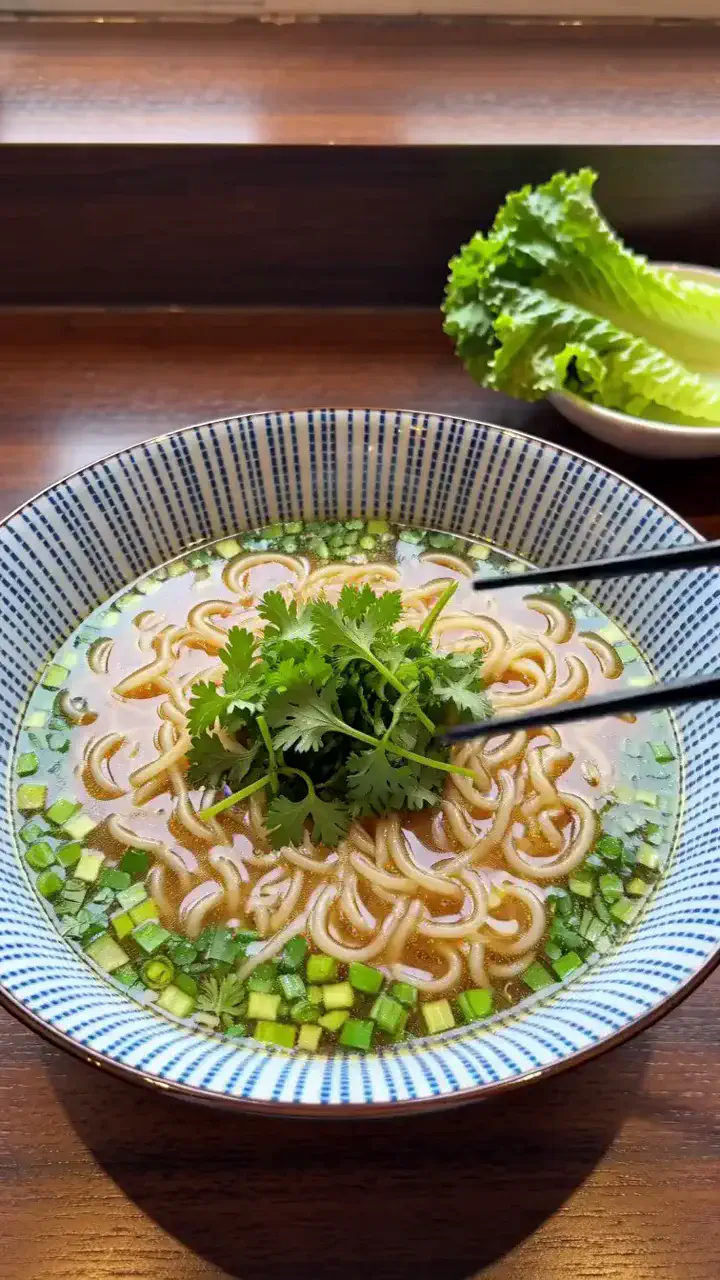
Steam above a noodle bowl
Steam curls upward while broth settles around noodles and herbs.
View full prompt
integrated_multimodal_description: [Shot 1] Live-action close-up in a vertical frame, a ceramic bowl of noodles rests on a dark wooden counter. The camera pushes in with small amplitude at slow speed as chopsticks lift a small bundle of noodles, broth drips back into the bowl, and fresh herbs shift across the surface. Steam rises in layered curls through the end of the six-second shot.
overall_soundscape: Broth drips softly, chopsticks touch ceramic once, and low kitchen room tone continues.
non_diegetic_music: N/A
Plays in view
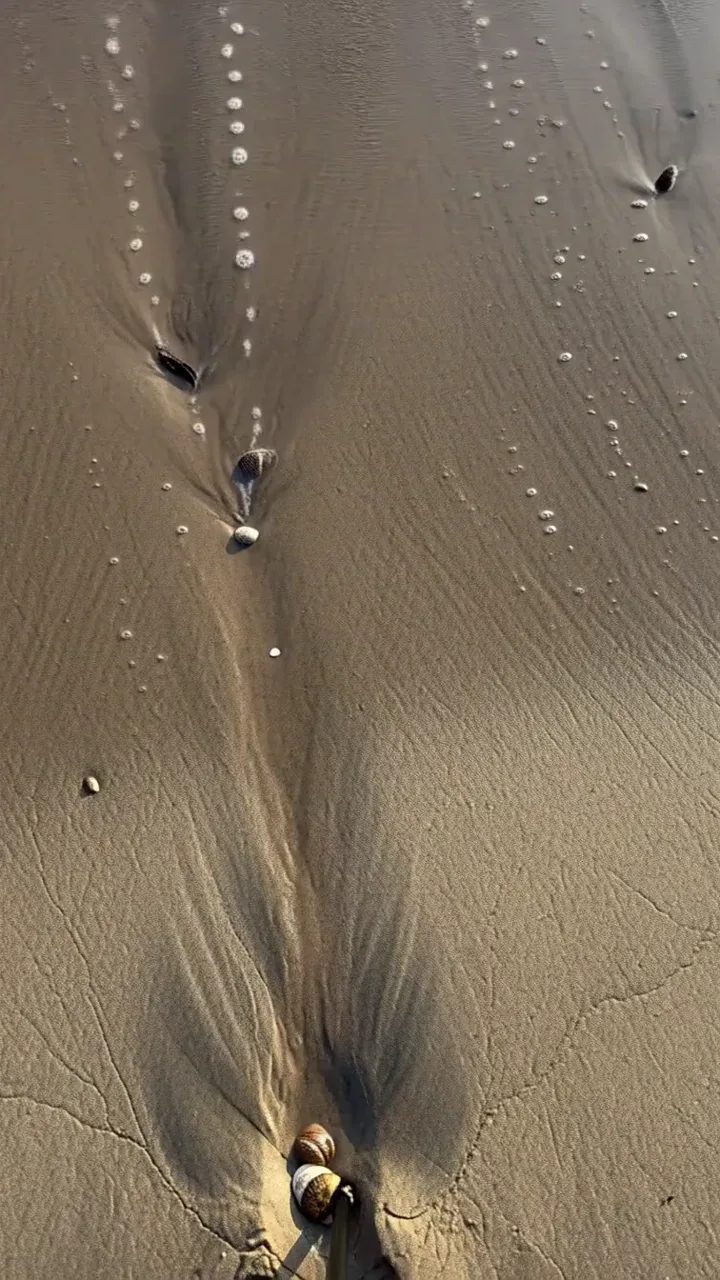
Tide foam over dark sand
A thin wave branches into foam and recedes across textured sand.
View full prompt
integrated_multimodal_description: [Shot 1] Live-action overhead view in a vertical composition, dark wet sand fills the frame with shallow diagonal ridges. The camera remains static as a thin wave enters from the top, spreads branching white foam across the ridges, pauses, and recedes. Small shells rotate in the retreating water while reflective sand reappears before the six-second shot ends.
overall_soundscape: A small wave washes across sand, foam crackles softly, and water drains back toward the shore.
non_diegetic_music: N/A
Plays in view
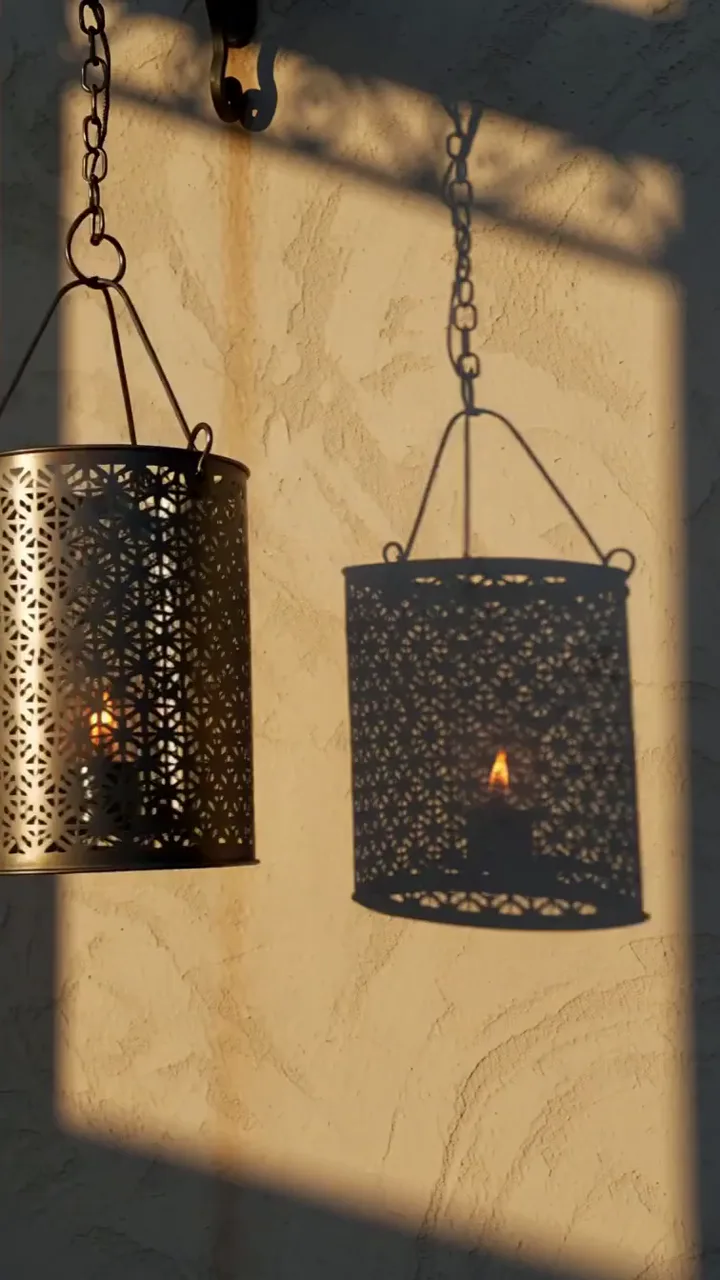
Lantern shadows on a wall
Perforated metal turns a moving light into layered geometric shadows.
View full prompt
integrated_multimodal_description: [Shot 1] Live-action vertical view, a perforated metal lantern hangs beside a plain warm-gray wall. The camera trucks left with small amplitude at slow speed as the lantern turns in a light breeze. Its geometric shadow stretches, overlaps, and contracts across the wall while the small interior flame remains visible during the six-second shot.
overall_soundscape: A light breeze moves the lantern chain with faint metal clicks and soft outdoor ambience.
non_diegetic_music: N/A
Plays in view
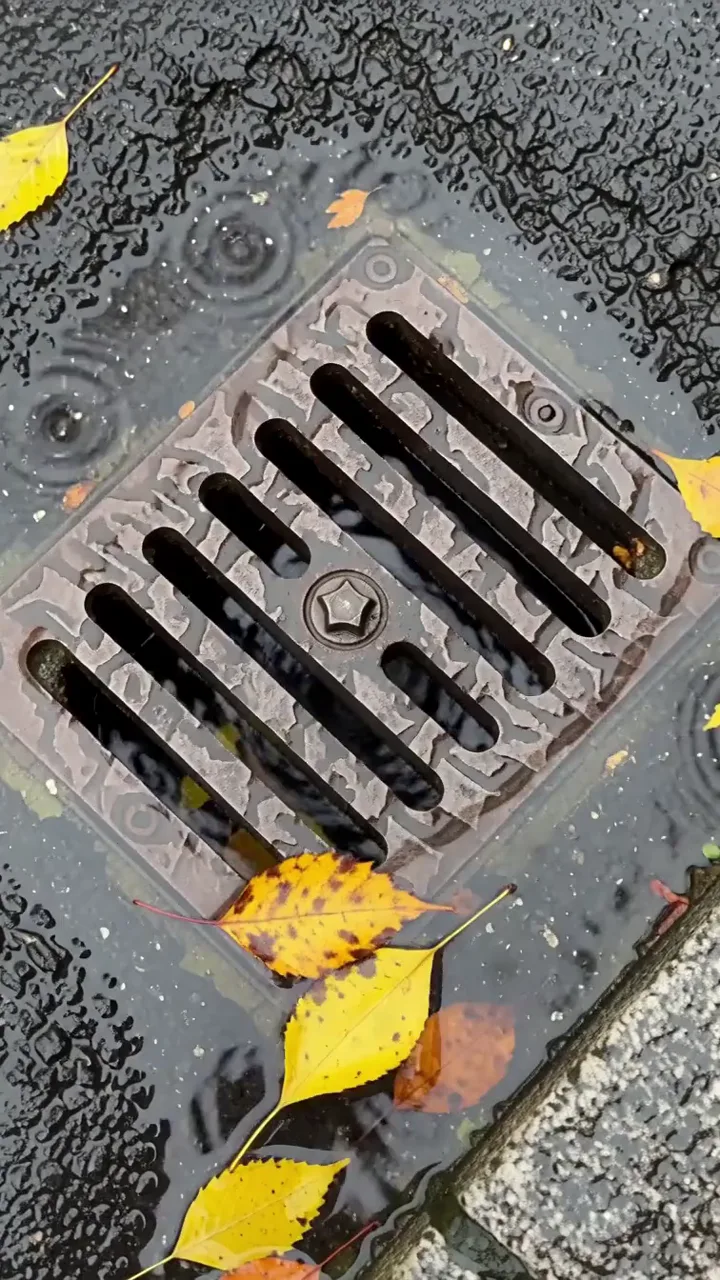
Rainwater around a street drain
Leaves and shallow currents trace the flow toward a metal grate.
View full prompt
integrated_multimodal_description: [Shot 1] Live-action overhead shot in a vertical frame, rainwater crosses dark pavement toward a rectangular metal drain. The camera holds static as two yellow leaves rotate in a shallow current, separate around a raised bolt, and move toward the grate. Ripples overlap and one leaf catches briefly before sliding through the frame during the six-second shot.
overall_soundscape: Steady rain strikes pavement while water gurgles quietly through the drain and distant tires cross a wet road.
non_diegetic_music: N/A
Plays in view
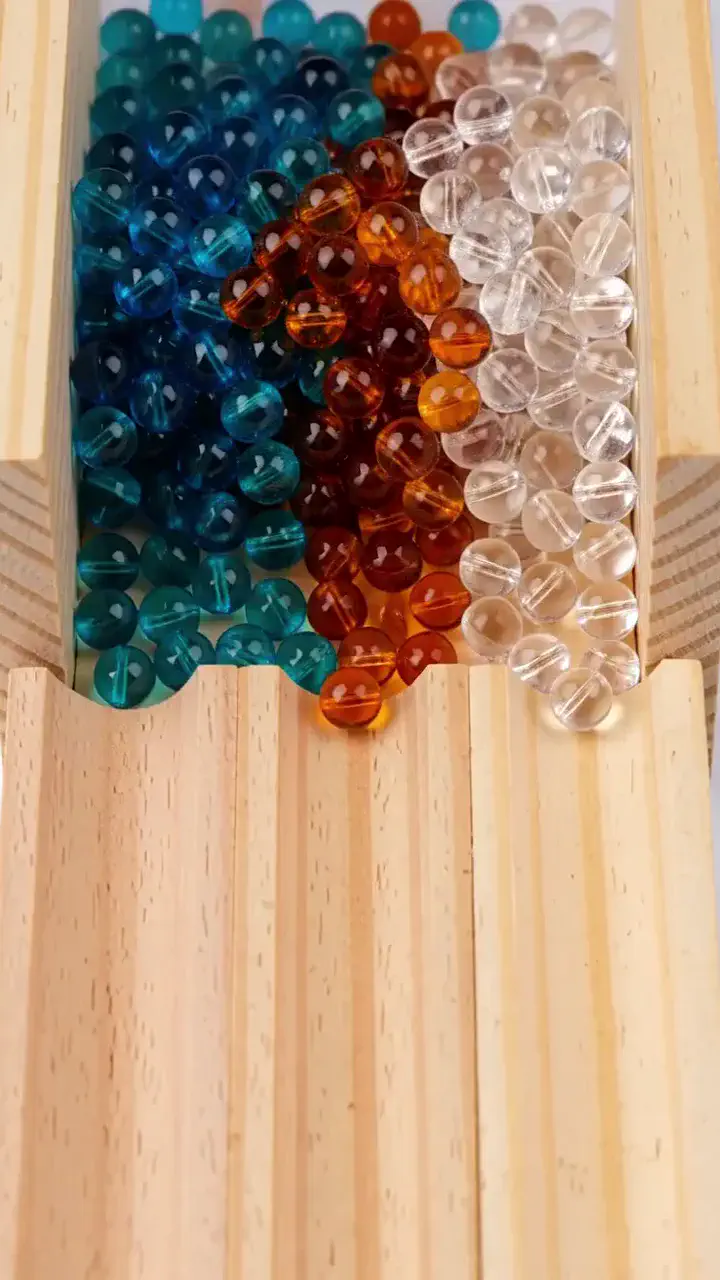
Glass beads sorting by color
Translucent beads roll through channels and settle into separate rows.
View full prompt
integrated_multimodal_description: [Shot 1] Live-action macro view in a vertical frame, mixed cyan, amber, and clear glass beads rest above three narrow wooden channels. The camera tilts down with small amplitude at slow speed as a gate opens and the beads roll downward. Small dividers guide each color into a separate channel, where the beads slow and settle into three rows by the end of the six-second shot.
overall_soundscape: Glass beads click against wood and each other, followed by three soft final impacts.
non_diegetic_music: A short muted xylophone pattern follows the descending motion.
Plays in view
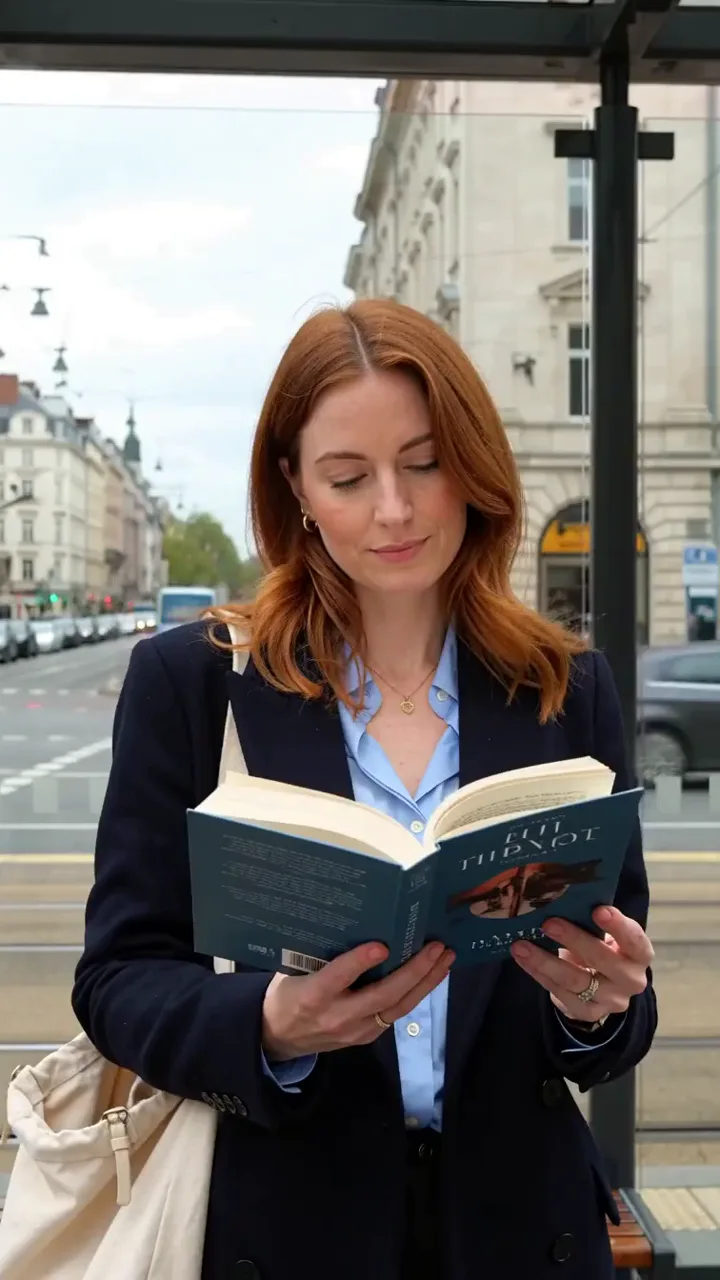
Woman waiting at a tram stop
A commuter closes a book as a tram approaches through reflected street light.
View full prompt
integrated_multimodal_description: [Shot 1] Live-action vertical medium shot, a white European woman in her early thirties with shoulder-length auburn hair stands beneath a glass tram shelter in a navy coat, holding an open paperback at chest height. The camera trucks right with small amplitude at slow speed as moving street reflections cross the glass behind her. She notices an approaching tram, closes the book with one hand, places it into a canvas shoulder bag, and turns toward the arriving vehicle before the six-second shot ends.
overall_soundscape: Light city traffic and footsteps continue beneath the rising rail sound of an approaching tram. Paper closes softly, the canvas bag rustles, and a distant stop bell rings once.
non_diegetic_music: N/A
Wan 2.7 Troubleshooting and Output Review
Symptom
Possible cause
What to change
Output feels flatter than the brief
The instructions lack a clear structure.
Separate subject, action, lighting, camera and mood into clauses.
The second half of a 15-second clip drifts
One action leaves too much time to fill.
Write two beats and give each a time range.
Dialogue and mouth movement disagree
Dialogue or audio guidance is unclear.
Use a clean voice reference and write the exact words and pauses.
Grid transitions feel like separate clips
Continuity and pacing are unspecified.
Specify one continuous camera move, no cuts, and time per view.
Vertical composition crops awkwardly
The subject position is missing.
Add “subject centred, head in upper third”.
A product changes between grid views
Lighting or product state varies across cells.
Keep the product and lighting fixed; change only the angle.
Clause match — check each instruction against the result.
Audio alignment — match sounds to visible events.
Identity — check the face or product throughout.
Transitions — inspect continuity between views.
Edge geometry — watch straight lines during camera movement.
Duration fit — make sure the action fills the selected time.
Wan Model Family
Wan 2.7 and the Rest of the Wan Model Family
Four Wan models run here. Wan 2.7 is the one with Thinking Mode, the 9-grid mode and voice cloning — switch only if the brief genuinely needs something else.
A full side-by-side of every spec across the four models is on the homepage.
Wan 2.7 vs Wan 3.0, Seedance 2.5, MiniMax H3 and Veo 3.1
All five do text-to-video, image-to-video and native audio, so those rows are not worth printing. What differs is clip length, what you can feed in, and which production tricks each one ships.
Capability
Wan 2.7
Wan 3.0
Seedance 2.5
MiniMax H3
Veo 3.1
Longest single generation
15s
30s
30s
15s
8s
Duration control
Continuous 2–15s
Continuous 2–30s
30s
4–15s
Fixed 4 / 6 / 8s
Thinking mode
✅
✅
—
—
—
9-grid image-to-video
✅
—
—
—
—
Text to image
✅ up to 4K
—
—
—
—
Voice cloning
✅
—
—
✅
—
First + last frame
✅
✅
—
—
✅ frames
Document or URL input
❌
✅
❌
❌
❌
Re-edit part of a clip
✅ prompt editing
✅ interval
✅ partial
—
❌ extend only
A dash means not specified in this comparison, rather than proof that a capability is absent. Video resolution: Wan 2.7, Wan 3.0 and Seedance 2.5 up to 1080p; MiniMax H3 up to 2K; Veo 3.1 up to 4K. Wan 2.7 also supports still images up to 4K.
Versus Wan 3.0
The upgrade question, and the honest answer is that it depends on length. Wan 3.0 doubles the ceiling to thirty seconds, reads documents and URLs, and regenerates a single interval. Wan 2.7 keeps Thinking Mode, the 9-grid mode and text-to-image, with credit costs shown before each task. If the brief fits in fifteen seconds and the source is images rather than files, 2.7 is not a compromise. The overview covers what Wan 3.0 adds over 2.7 in full, including the thirty-second ceiling and document input.
Seedance doubles the single-generation length and extends to roughly three minutes, with more references per request. Wan 2.7's answer is production features rather than length: the planning step, the grid mode, and still-image generation.
Versus MiniMax H3
The closest match on length — both cap at fifteen seconds — and both clone a voice. H3 outputs 2K against Wan 2.7's 1080p; Wan 2.7 has continuous duration control, first and last frame, and the grid mode. Users have reported H3's lip sync drifting late in longer clips.
Versus Veo 3.1
Veo caps a single generation at eight seconds, so anything longer is chained, and chaining is its only lengthening route — there is no way back to fix one section. Veo reaches 4K and about 148 seconds total. Wan 2.7 gives you fifteen seconds as one take with the duration set to the second.
Wan 2.7 is not the longest model here, and it is not the highest resolution. Its production features include a planning step before generation, a 3×3 grid mode built for product catalogues, and still-image generation.
Wan 2.7 AI Video Generator FAQ
How is Wan 2.7 different from Wan 2.6?
Wan 2.7 adds first and last frame control, prompt-based video editing, voice references and more detailed facial direction to the multi-shot and synchronized audio workflows already present in Wan 2.6. The model documentation also describes Thinking Mode, product-grid workflows and still-image generation. Available controls depend on the workflow you select.
What is Wan 2.7 and what can it do?
Wan 2.7 is a video and image model in Alibaba’s Wan family. It supports video at 720p or 1080p, native audio and durations from two to fifteen seconds. Its documented capabilities also include still images up to 4K. This page provides video workflows; available duration limits depend on the selected mode.
What is Thinking Mode in Wan 2.7?
Wan 2.7 Thinking Mode interprets and plans a prompt before generating frames. It benefits from separate instructions for subject, action, lighting, camera and mood. It cannot resolve contradictory instructions or supply missing creative direction. This workspace does not currently expose a separate Thinking Mode switch; prompt expansion is a different control.
Does Wan 2.7 generate audio?
Wan 2.7 can generate audio alongside the picture, including ambience, dialogue and background music. Describe sounds in relation to visible actions and write spoken lines verbatim. Optional audio guidance is available in Advanced Settings for generation workflows. Listen to the result and check that dialogue timing and visible movement agree.
What resolution and duration does Wan 2.7 support?
Wan 2.7 supports 720p and 1080p video. Text and image workflows on this page offer continuous durations from two to fifteen seconds; reference and editing workflows currently stop at ten seconds. The model also supports still images up to 4K, which is separate from the video resolution available here.
What is 9-grid image-to-video in Wan 2.7?
Wan 2.7’s documented 9-grid workflow uses a three-by-three sheet of product images to guide a coherent video sequence. Keep the product and lighting consistent, changing the angle between cells. This workspace does not have a dedicated 9-grid mode; the prompt recipes explain the structure for a compatible grid workflow.
Is Wan 2.7 free to try?
Wan 2.7 tasks use credits, with the required amount displayed before submission. Check your account balance for any available credits or vouchers; trial eligibility and availability depend on your account. This page does not promise a fixed number of free generations. Review the displayed cost before starting a task.
How do I access Wan 2.7?
Wan 2.7 is available in the generator at the top of this page. Choose a supported mode, write your prompt, add the required inputs and review the credit cost. Sign in when prompted to upload or generate. The form shows the settings and inputs available for each workflow.
Can Wan 2.7 clone voices and faces?
Wan 2.7 supports voice references and detailed visual identity guidance. Supply a clean audio sample when a particular voice matters, and use images plus precise facial descriptions to guide appearance. Facial structure control through a prompt is distinct from an exact identity guarantee; review both the face and spoken result.
What is Thousand-Face Realism in Wan 2.7?
Wan 2.7 Thousand-Face Realism describes prompt-level control over facial structure, including face shape, eye shape, brow arch, nose bridge and jawline. Write the specific visible traits you want instead of relying on a generic description. These are written instructions rather than a collection of facial presets in the form.
Can Wan 2.7 edit an existing video?
Wan 2.7 can edit an existing video using a prompt. Select Video Edit, upload the source clip and describe the changes you want while naming anything that should remain unchanged. This is a separate workflow from choosing a precise time interval. Check the available duration and audio settings before submitting.
What is first and last frame control in Wan 2.7?
Wan 2.7 first and last frame control uses two images to define the opening and closing states. The model generates the movement between them. Use the image workflow and add the ending frame, keep both compositions compatible, and describe the transition instead of repeating the appearance already shown in the images.
Wan 2.7 Generation Starts Here
Pick a mode, structure the brief in clauses, set a duration to the second. Thinking Mode plans the scene before it generates, and the credit cost appears before you submit.