WanMax LogoWanMax

Wan 3.0 AI Video Generator

Pick an input mode, write the brief, and set duration up to 30 seconds. The credit cost appears before anything runs, and the clip comes back with sound.

480P / 720P / 1080P · 2–30s · 5 aspect ratios · Audio included

Wan 3.0 AI Video Generator Modes: Text, Image, Frame, Reference

Four ways in. The mode you pick decides what you control and what the model decides for you, so it is worth choosing deliberately rather than defaulting to text.

Text to Video

Everything comes from the prompt, which means everything you leave out is the model's decision. Name the subject, the action, the environment, the camera move and the sound, in that order. Iteration is cheapest here because there is nothing to validate against.

  • No upload step
  • Fastest to iterate
  • Use 480P for the first two or three passes
  • The prompt is the only source of timing
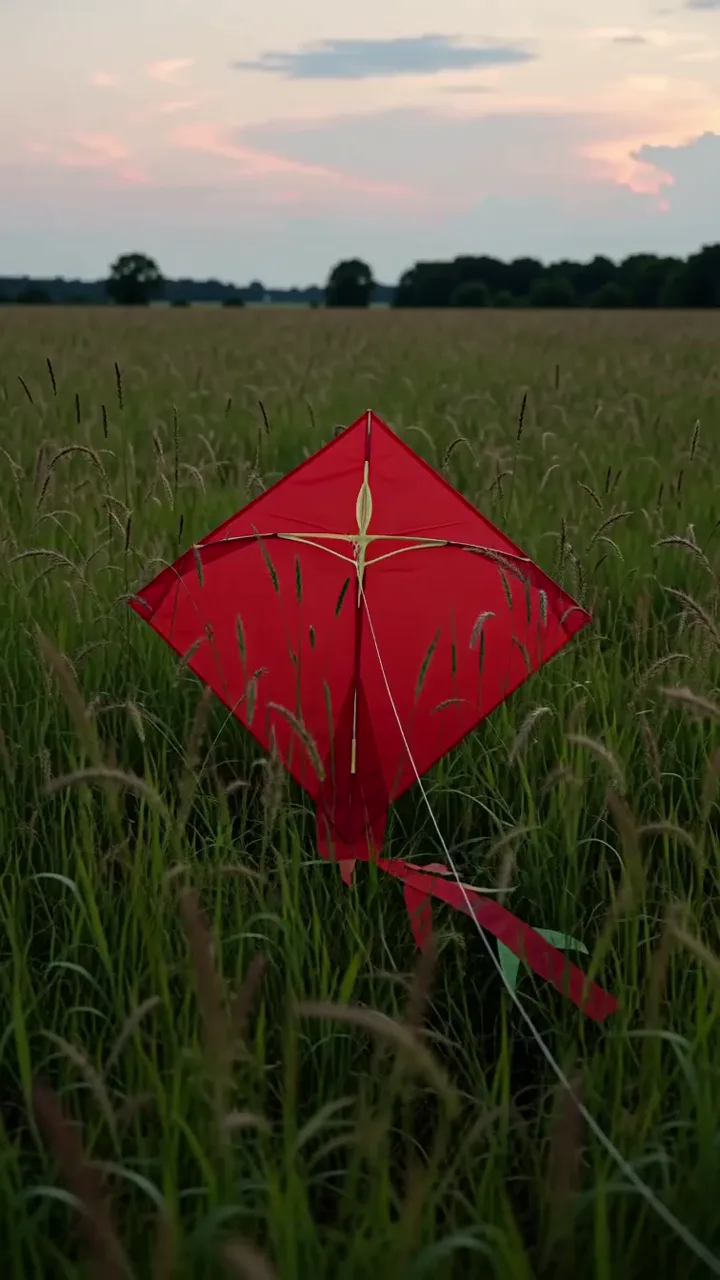
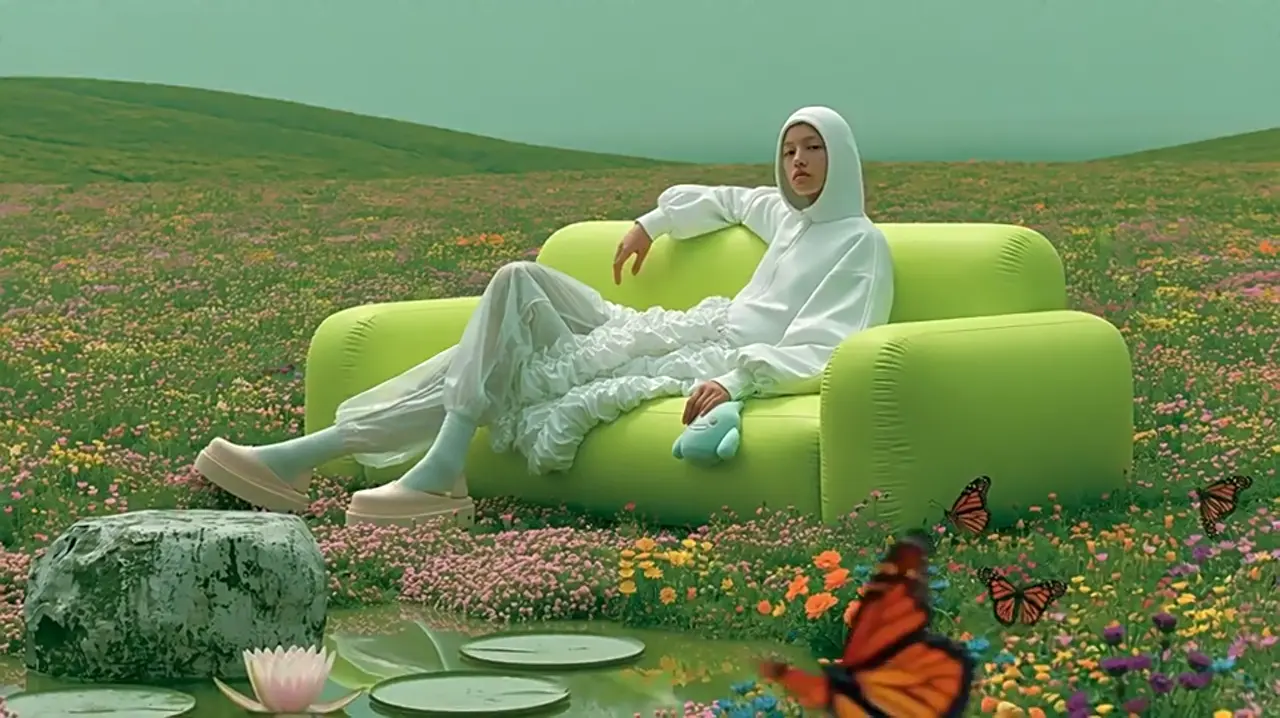
Image to Video

One image fixes who or what is in the shot; the prompt says what moves. The most common failure is describing the scene again instead of describing the motion — the image already covers the scene.

  • First frame pins identity, wardrobe and product detail
  • Describe motion, not appearance
  • State what should stay still, not only what moves

First + Last Frame

Two images set the endpoints and the prompt fills the middle. This is the mode for anything that has to arrive somewhere specific — a reveal, a transformation, a product rotating to a hero angle.

  • First frame = opening state, last frame = closing state
  • The prompt describes the transition, not the frames
  • Keep the two frames compositionally compatible
  • Long clips in this mode drift in the middle third

Reference

Up to twenty references across image, video, audio, documents and webpages. Each type controls something different, and tagging is what lets the prompt address them individually.

  • Images for identity and composition
  • Video for motion and pacing
  • Audio for a specific voice or room
  • Documents and URLs for the brief itself
  • Tag everything — see the tagging section below
ModeBest forNot for
Text to VideoExploring a direction when no asset exists yetReproducing a specific product or face
Image to VideoAnimating a product shot or a character stillControlling the exact motion path
First + Last FrameReveals, transformations, product turnsShots with complex mid-clip action
ReferenceHolding identity or reusing a voice across a setA single loose reference — use Image to Video

How to use

Wan 3.0 Generation in Three Steps

The whole flow is three decisions. Each step below links to the fuller walkthrough if you want screenshots and edge cases.

01

Pick a mode and add your inputs

Choose Text to Video, Image to Video, First + Last Frame, or Reference. Upload whatever the mode needs and tag each reference by role — @product, @set, @voice — so the prompt can address it by name. Then write the brief: subject, action, camera move, sound.

02

Set duration, resolution and ratio

Duration drives how the prompt should be written: past fifteen seconds, write in beats with rough timings. Start at 480P while the composition is still moving, and switch to 1080P for the version that ships. Pick the aspect ratio before you write, because 9:16 and 1:1 need the subject's position stated in the prompt.

03

Check the credit cost, then generate

The total updates as you change settings and is shown before submission. Generate, then review the middle third first — that is where a long clip drifts. If only a few seconds are wrong, regenerate that interval instead of the whole task.

Wan 3.0 Examples Made in This Generator

Explore six sample clips and their editable prompts. The examples below are the existing gallery; they are not verified outputs of the twelve recipes above.

Plays in view

Kite in changing wind

A paper kite rises while grass and its string respond to the same gusts.

Read the full prompt

integrated_multimodal_description: [Shot 1] Live-action, a vertical medium-wide view frames a red paper kite resting in tall green grass beneath a pale evening sky. The camera tilts up with small amplitude at slow speed as a gust lifts the kite, pulls the white string taut, and carries it above the moving grass. The kite banks once to the left, steadies near the upper third of the frame, and continues to flutter visibly through the end of the six-second shot. overall_soundscape: Wind moves continuously through the grass and paper, with one stronger gust as the kite leaves the ground. Distant birds remain faint in the background. non_diegetic_music: N/A

Plays in view

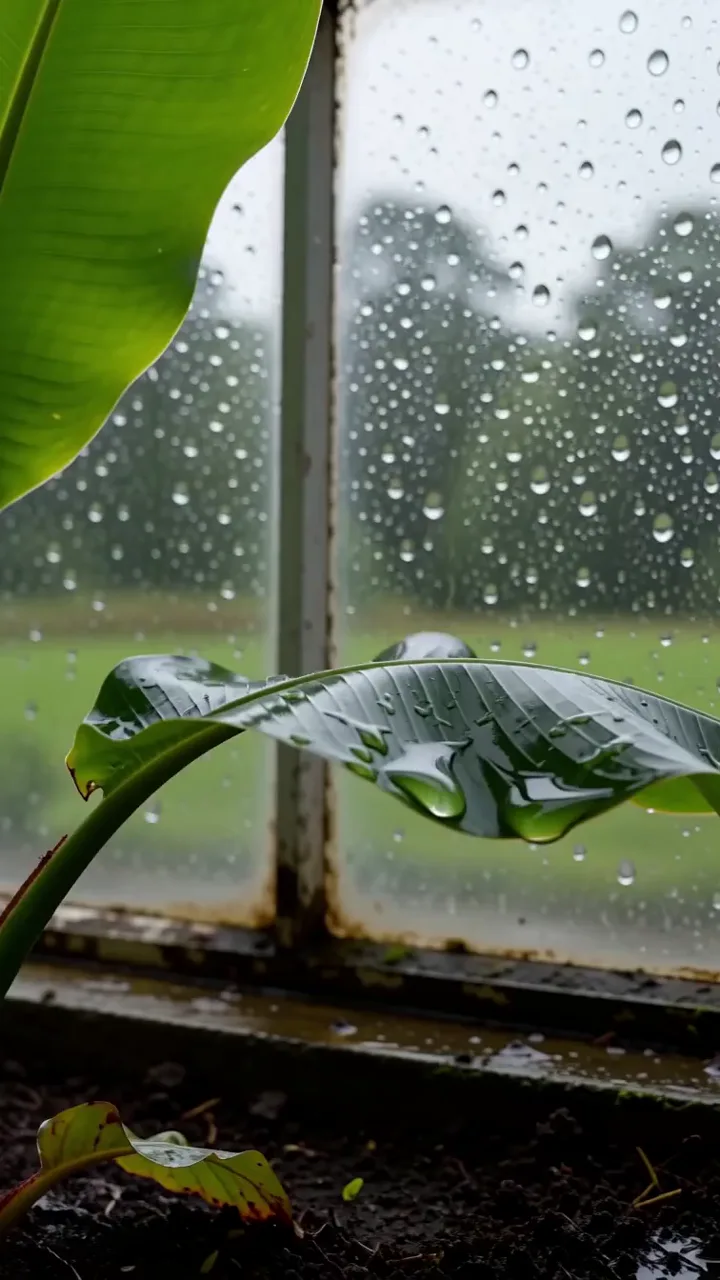
Rain across greenhouse leaves

Droplets collect, merge, and fall from leaves inside a glass greenhouse.

Read the full prompt

integrated_multimodal_description: [Shot 1] Live-action macro photography in a vertical frame, a broad green leaf fills the lower half while rain beads cover the greenhouse glass behind it. The camera trucks right with small amplitude at slow speed. Two droplets merge along the leaf edge, grow heavier, and fall out of frame as the leaf bends down and springs back. Fine rain streaks continue sliding down the glass through the end of the six-second shot. overall_soundscape: Soft rain taps on glass while individual droplets land on leaves and water drips onto damp soil below. non_diegetic_music: N/A

Plays in view

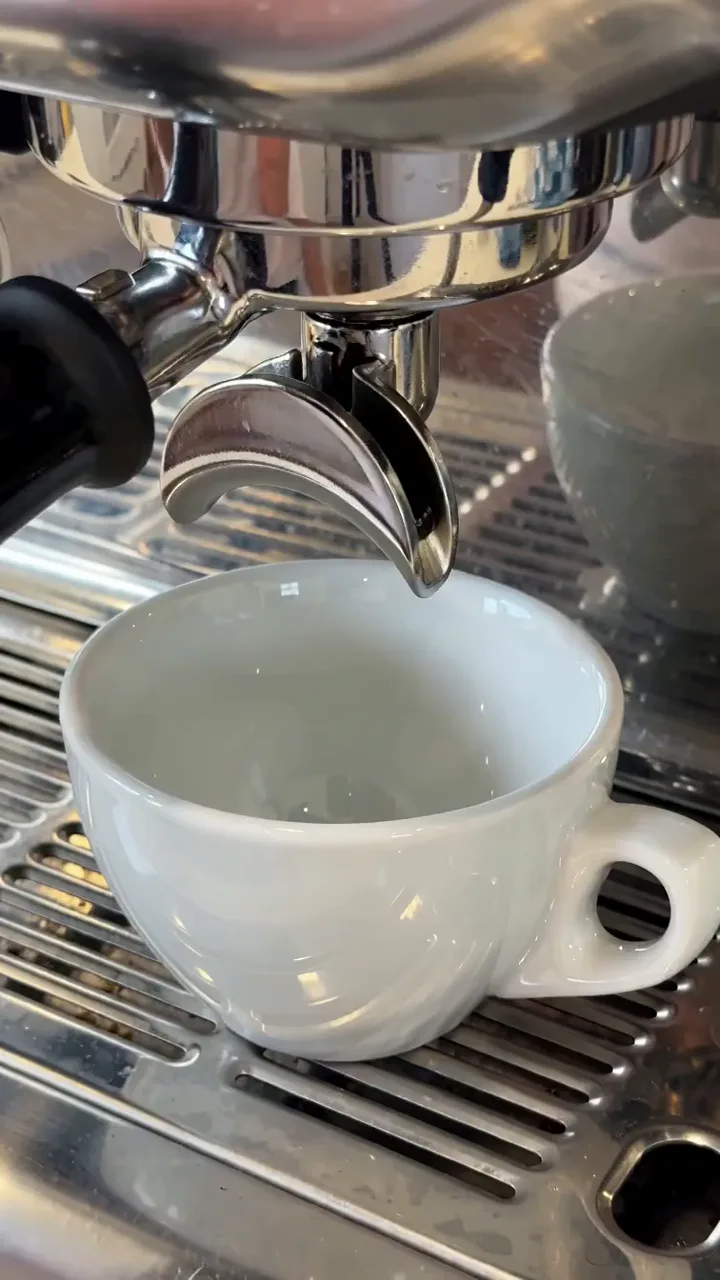
Espresso extraction

Coffee changes from separate dark streams to a single steady pour.

Read the full prompt

integrated_multimodal_description: [Shot 1] Live-action close-up in a vertical composition, a metal espresso portafilter sits above a small white cup on a ribbed drip tray. The camera holds a static shot as two dark drops form, lengthen into narrow streams, and gradually turn caramel brown. A thin layer of crema expands across the cup while a small curl of steam rises and drifts right during the six-second shot. overall_soundscape: The espresso machine hums steadily, liquid falls into the ceramic cup, and one quiet metal vibration sounds from the drip tray. non_diegetic_music: N/A

Plays in view

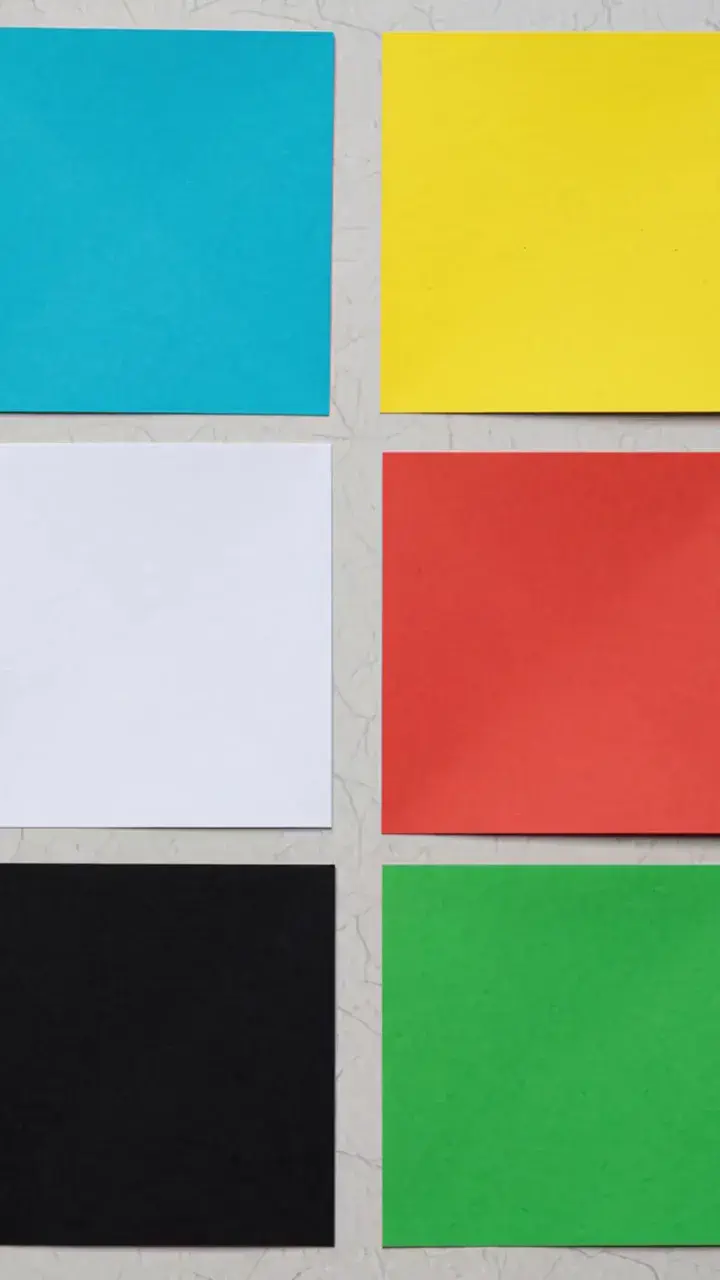
Paper forms from flat sheets

Colored paper folds into a compact geometric object on a clean surface.

Read the full prompt

integrated_multimodal_description: [Shot 1] Stop-motion animation in a vertical overhead frame, six flat paper squares in cyan, yellow, coral, white, black, and green are arranged on a light gray table. The camera remains static while the squares slide inward one at a time, fold along crisp diagonal lines, and interlock into a compact faceted paper form. The completed form rotates one quarter turn and stops centered before the six-second shot ends. overall_soundscape: Dry paper folds, light taps, and brief sliding sounds follow each visible movement on the tabletop. non_diegetic_music: A simple marimba pattern at a moderate tempo, with one short note for each fold and a final sustained tone.

Plays in view

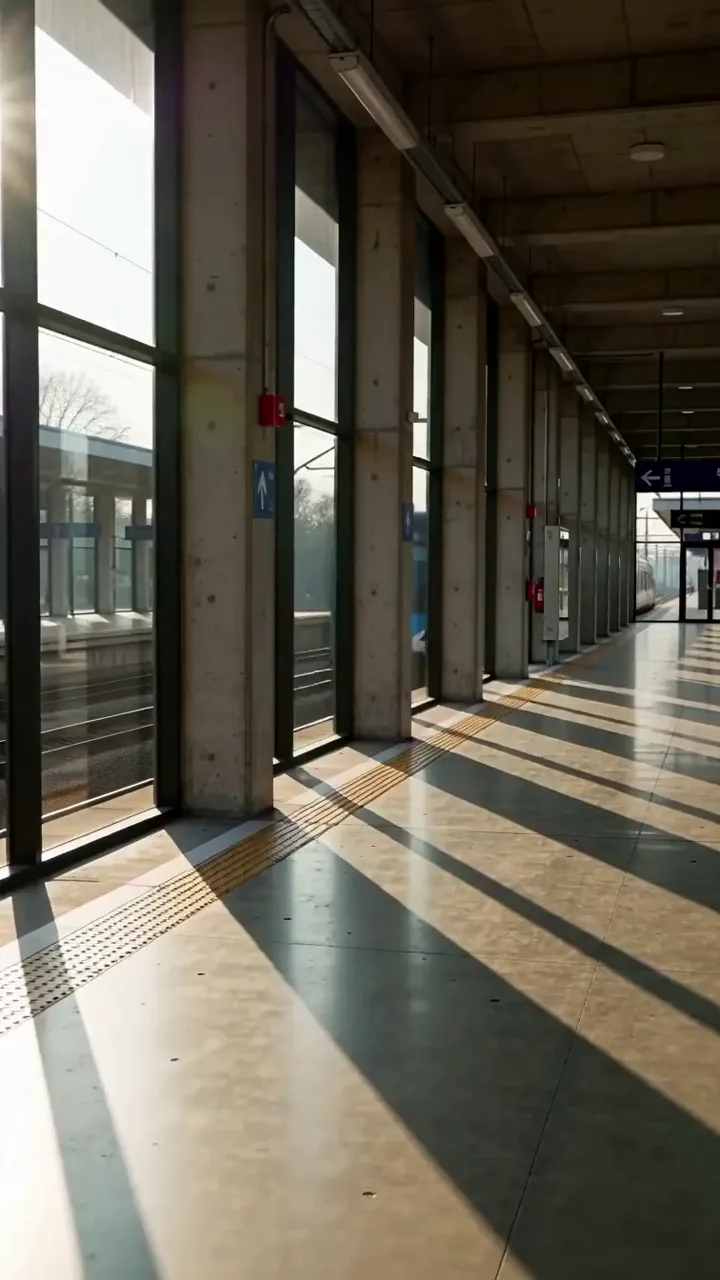
Light moving through a station

Window shadows cross an empty platform as a train passes outside.

Read the full prompt

integrated_multimodal_description: [Shot 1] Live-action architectural view in a vertical frame, an empty concrete station platform is crossed by narrow bands of afternoon light from tall windows. The camera pushes forward with small amplitude at slow speed. A train passes outside the glass, causing alternating light and shadow bands to move rapidly across the floor and columns. The final carriage clears the windows, leaving the platform evenly lit at the end of the six-second shot. overall_soundscape: A train approaches with a low rolling sound, passes with a brief metallic rush, and recedes into the steady ventilation ambience of the empty station. non_diegetic_music: N/A

Plays in view

Ink dispersing in water

Blue and amber ink plumes meet and form layered currents in clear water.

Read the full prompt

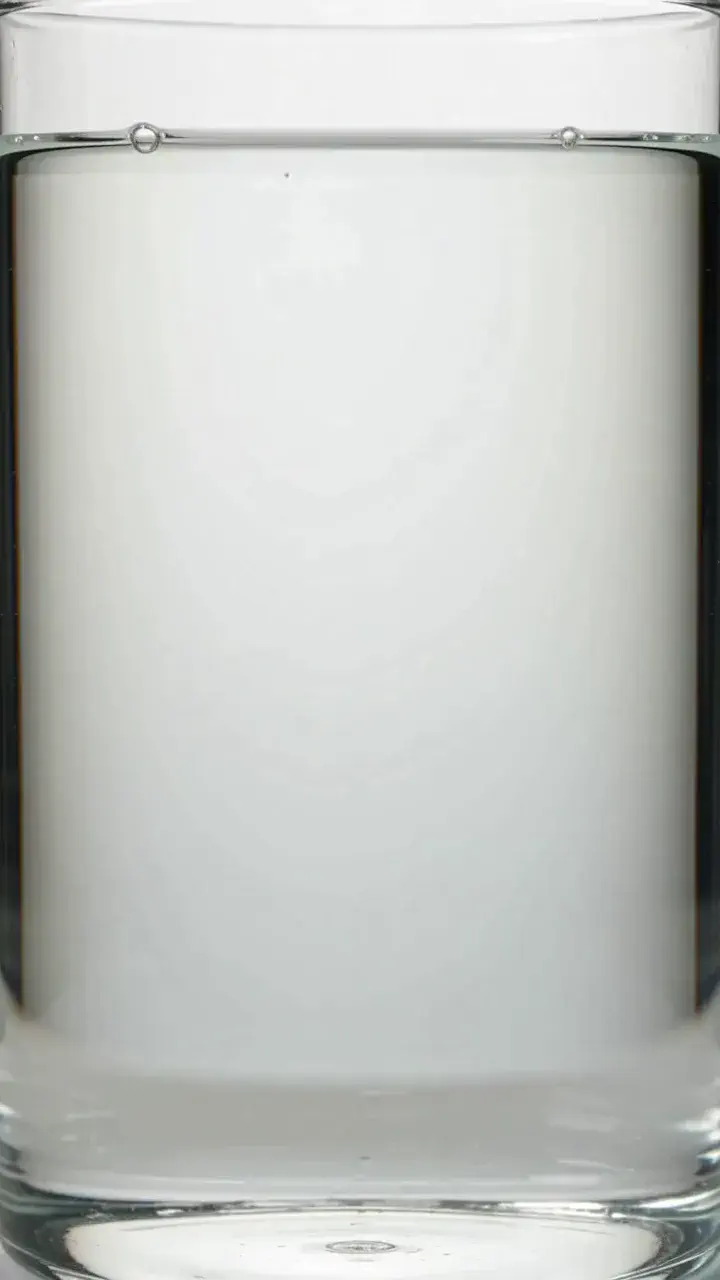
integrated_multimodal_description: [Shot 1] Live-action macro view in a vertical transparent tank, clear water fills the frame against a neutral white background. The camera holds a static shot as one blue ink drop enters from the upper left and one amber drop enters from the upper right. Each drop stretches into branching plumes, curls downward, and meets at the center, where thin green-brown layers form without filling the entire tank. Fine tendrils continue drifting during the six-second shot. overall_soundscape: Quiet room ambience with two soft water drops and a faint glass resonance. non_diegetic_music: A low sustained synthesizer tone with two brief bell notes timed to the drops.

Wan 3.0 Troubleshooting and Output Review

Six failures account for most unusable results. Each has a cause and a fix that does not involve re-running the same prompt and hoping.

1. Middle third Does the subject still look like the subject at the midpoint? 2. Audio alignment Does each named sound land on its on-screen event? 3. Reference match Compare the output against each tagged upload, one at a time. 4. Edge geometry In moving shots, do straight lines stay straight? 5. On-screen text Any text will need replacing. Note what and where. 6. Counts If you asked for a number of objects, count them.

Anything that fails checks 1–3 is a prompt problem, not a model problem — the table above says which. If the result is close but the wrong few seconds, regenerate that interval rather than the whole task.

What went wrongWhat to change
Continuity breaks in the middleGive a long prompt three timed beats, then review the middle third first.
Audio and action do not alignTie the sound to an event: “sizzle starts on contact and builds.”
A reference is ignoredMention its assigned tag and explain which properties to take from it.
A vertical shot crops the subjectSpecify “subject centred, head in upper third” and review the frame.
On-screen text is garbledTreat generated lettering as a placeholder and add exact text in editing.
Identity drifts between shotsReuse clear references and name the face, wardrobe and background details to preserve.

Wan Model Family

Wan 3.0 and the Rest of the Wan Model Family

Three earlier Wan models are still available and none of them are retired. If Wan 3.0 is more than this brief needs, switch here — the form works the same way.

A full side-by-side of every spec across the four models is on the homepage.

Compare all Wan models →

Against other models

Wan 3.0 vs Seedance 2.5, MiniMax H3 and Veo 3.1

Every one of these four does text-to-video, image-to-video and native audio, so those are not the rows worth comparing. What actually differs is how long a clip can run, what you are allowed to feed in, and whether a bad few seconds means re-running the whole thing.

CapabilityWan 3.0Seedance 2.5MiniMax H3Veo 3.1
Longest single generation30s30s15s8s
Document or URL as input✅ doc · xls · ppt · pdf · md · any URL❌❌❌
Reference types acceptedImage · video · audio · document · webpageImage · video · audioImage · video · audioImage · frames
References per request2030 img + 10 video + 10 audio9 img + 3 video + 3 audioImage and frame guidance
Native audio✅ same pass✅ same pass✅ 32kHz stereo✅ 48kHz, all tiers
Lip syncPhoneme level, 12 languages—Voice cloning; drift reported late in clipsUnder 120ms
Re-edit part of a clip✅ regenerate an interval✅ partial editing—❌ extend only

Versus Seedance 2.5

The closest match of the four. Both do thirty seconds in one generation, both write audio in the same pass, and both can re-edit part of a clip rather than the whole thing. Seedance takes more references — thirty images against twenty total — and extends to roughly three minutes. Wan 3.0 is the only one of the two that reads a document or a URL, so the deciding question is usually whether your brief arrives as a file or as a pile of images.

Full comparison →

Versus MiniMax H3

H3 caps a single generation at fifteen seconds against Wan 3.0's thirty, and takes nine images where Wan 3.0 takes twenty references across more types. H3's advantage is 2K output and voice cloning from a reference audio clip, though users have reported lip-sync drifting late in longer clips. Pick H3 for a short talking-head at 2K; pick Wan 3.0 when the clip has to run past fifteen seconds in one take.

Versus Veo 3.1

The biggest gap in the table. A single Veo generation stops at eight seconds, so a thirty-second piece is four chained generations — and chaining is the only way Veo lengthens a video, with no way to go back and fix one interval. Veo reaches 4K and about 148 seconds total, which Wan 3.0 cannot match. Pick Veo for total runtime and resolution; pick Wan 3.0 when the shot has to be one unbroken take, or when the source is a document.

Wan 3.0 is not the longest or the highest-resolution model here. Seedance 2.5 extends further and takes more references; Veo 3.1 goes to 4K. What Wan 3.0 has that none of them do is reading a document or a webpage as source material, and what it shares with only Seedance is fixing a clip one interval at a time.

Wan 3.0 AI Video Generator FAQ

Which mode should I use if I already have a product photo?

Use Image to Video to animate one product photo. Use Reference when you need several images to guide the same product across different shots.

How do I keep the same character across two separate tasks?

Reuse the same reference images and describe the face, wardrobe and other details that should stay unchanged. Compare both outputs; consistency across separate tasks is not guaranteed.

Can I regenerate only part of a clip?

Interval regeneration is described in the Wan 3.0 model specification. This workspace currently provides generation controls; use only the editing actions available for your completed task.

What happens to my credits if a task fails?

Check the task status and your account credit history for the recorded charge. Contact support with the task ID if the result and charge need investigation.

Why is my 9:16 output cropped oddly?

Specify the position of your subject as well as the aspect ratio. Try “subject centred, head in upper third” and review the framing before increasing the resolution.

Which reference wins when two conflict?

State which reference should control each property: identity, lighting, motion or sound. Conflicting references can still produce an unwanted blend, so remove references that contradict the brief.

Can I upload a voice recording as the dialogue?

Add the recording as an audio reference and mention its assigned tag in the prompt. Explain whether it should guide voice, dialogue or ambience, then check the generated audio.

How long can the prompt be?

Follow the limit shown by the current input field. For longer clips, divide the prompt into timed beats rather than one long sentence.

Can I extend a Wan 3.0 clip past 30 seconds?

Thirty seconds is the single-generation limit described here. A total extension limit has not been confirmed for this workspace; check the actions available on your completed result.

Can I use the output commercially?

Check the current Terms of Service for the rights that apply to your account and output. You must also have the necessary rights to third-party material in your references.

Wan 3.0 Generation Starts Here

Pick a mode, write the brief, read the credit cost, generate. The clip comes back with sound, and any interval you are not happy with can be regenerated on its own.

Start a Wan 3.0 task →

Cost shown before submission · One-time credits, no subscription